Not one CRM. Three.
Three businesses, three completely different jobs, three CRMs built from scratch to match. Each one is in daily use running a real company — and none of them would be much use to the other two. Here is what was changed for each, and how the work actually flows through it.
BorstPhoto CRM
Built forA working photographer booking shoots across two brands, where the job is won or lost before the shutter ever opens.
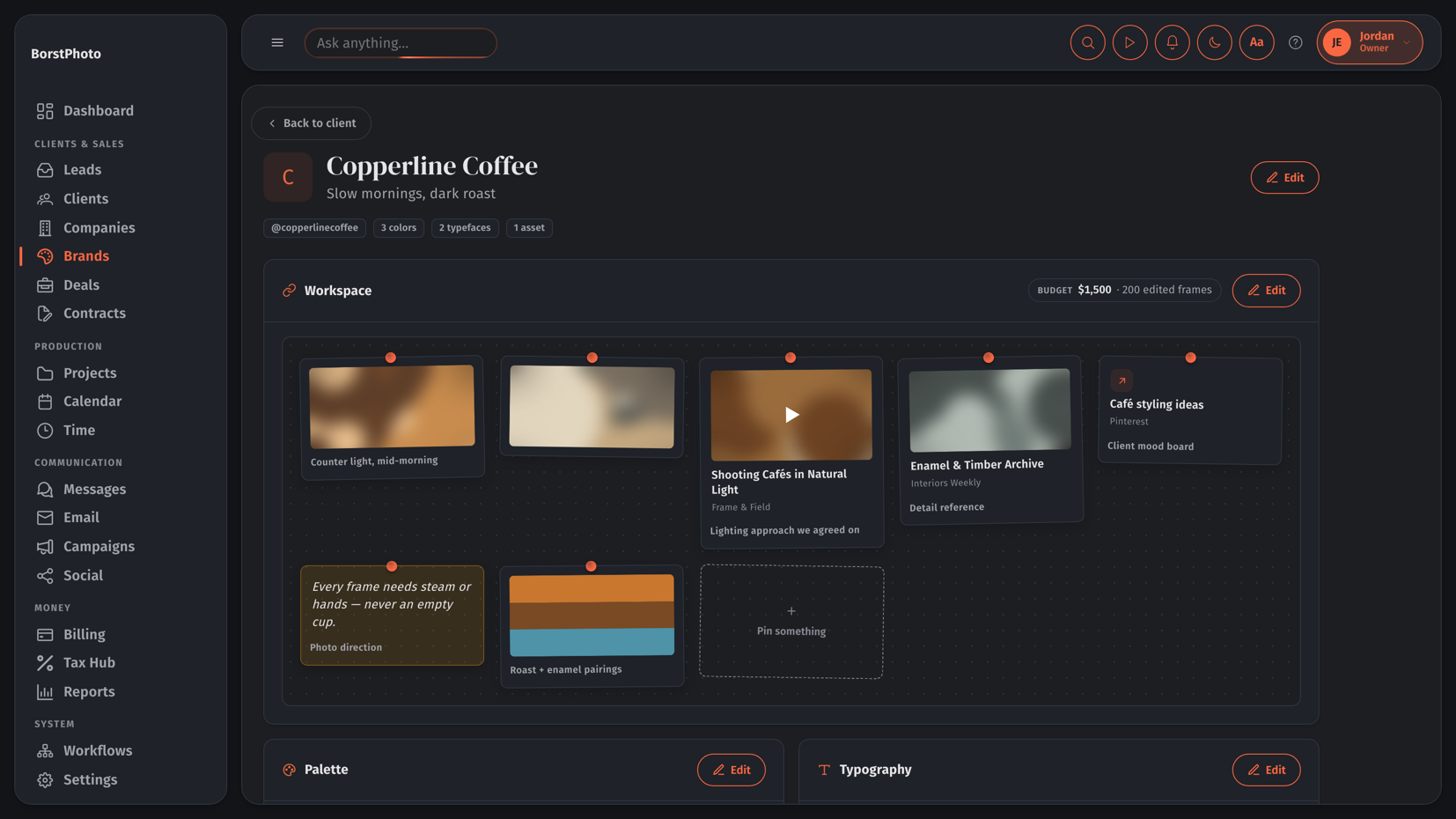
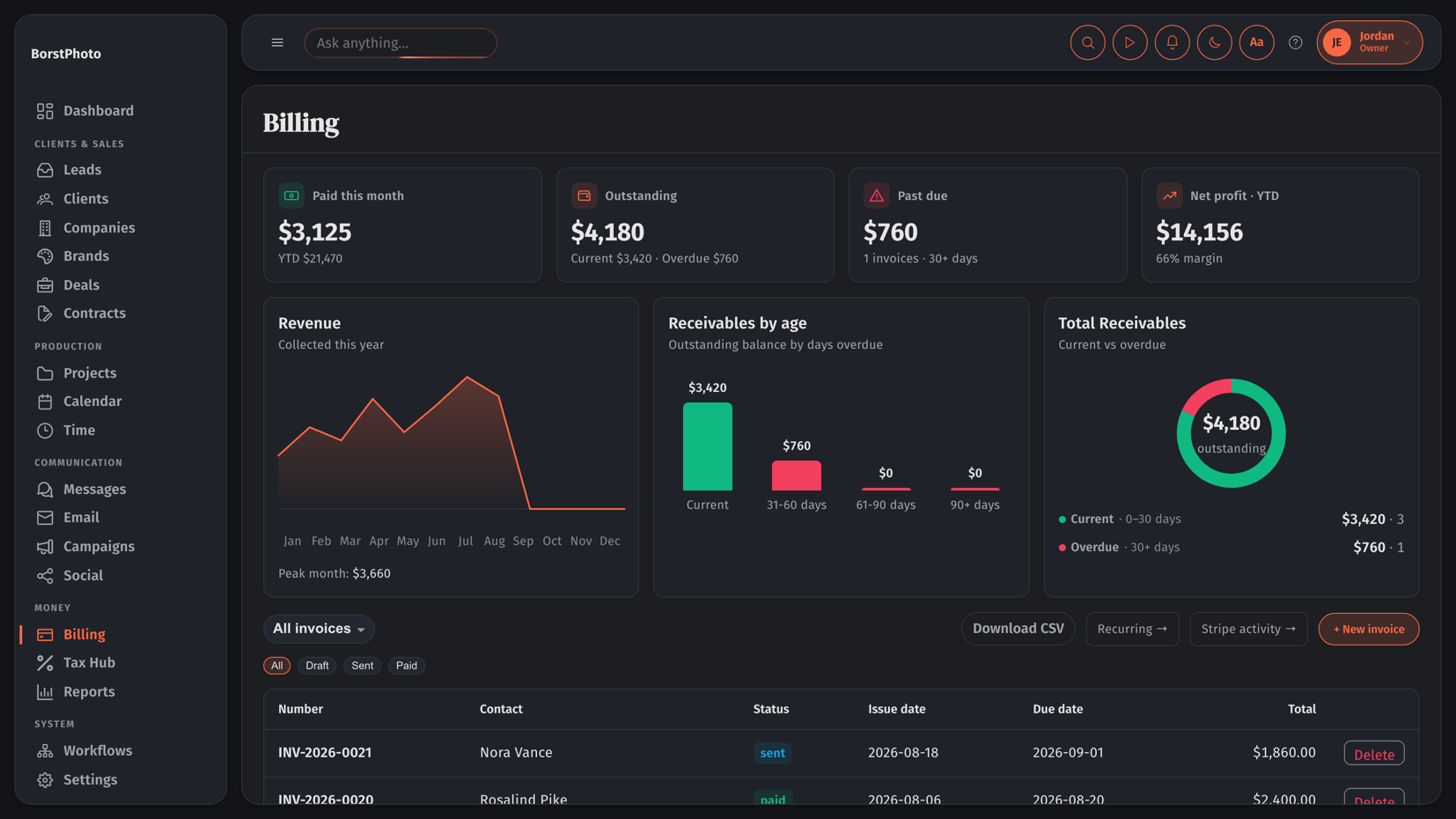
A photography business does not run on a sales pipeline. It runs on a look — the reference images, the palette, the framing everyone agreed on before the shoot day. So this CRM was built around the creative brief, not the deal stage, and everything else hangs off it.
- A Brands module replaced the usual deal boardEvery brand gets a pinnable Workspace — reference photos, framing videos, Pinterest boards, sticky notes on photo direction, a stain-and-trim palette and a budget, all on one canvas. The brief stops living in a text thread.
- Leads arrive already researchedAn enquiry from an Instagram DM lands with its source attached, then an AI pass reads the handle, follower count, storefronts and public links and writes a plain-English brief onto the record — before the first reply is typed.
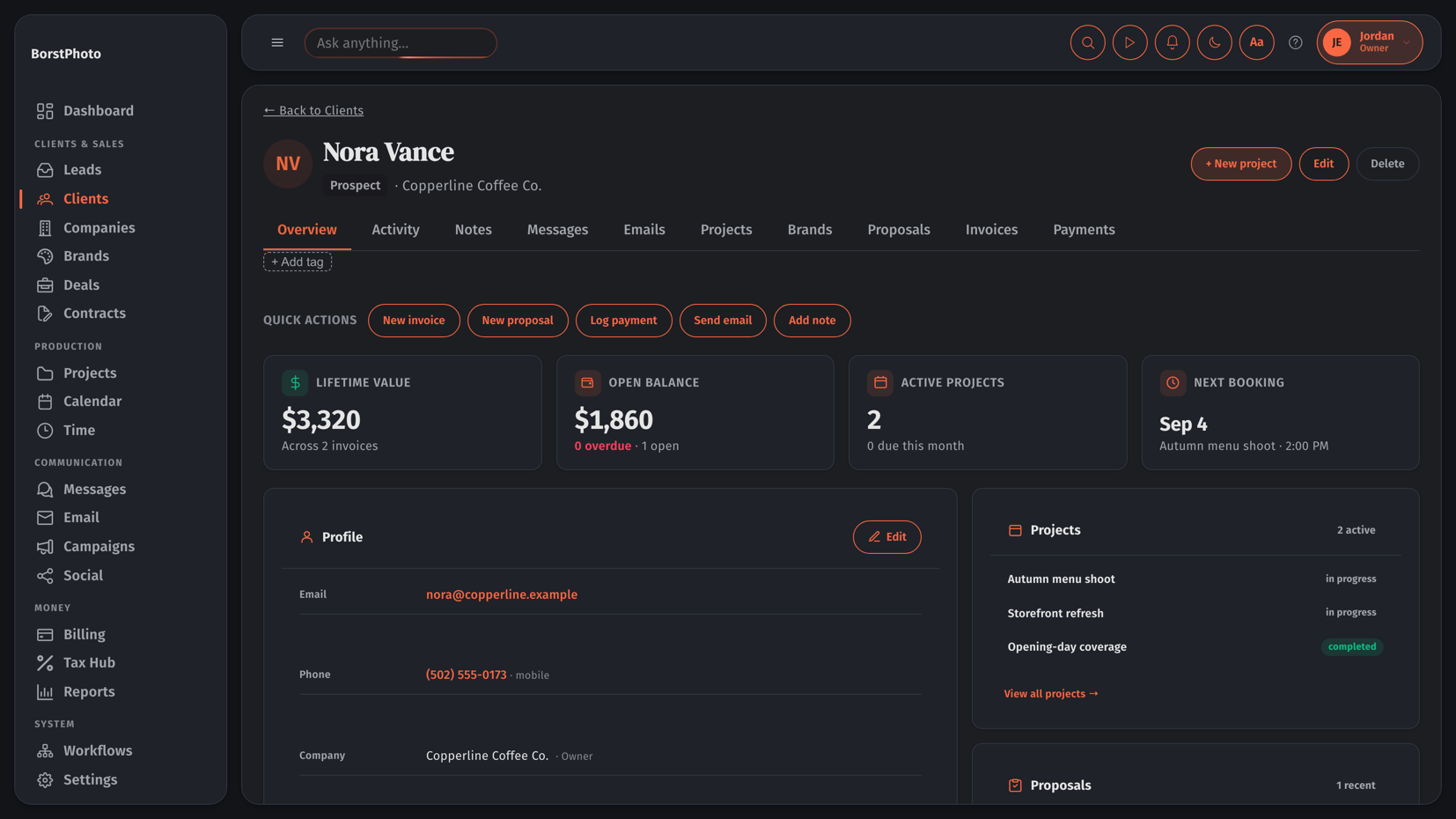
- The client record is shoot-shapedProjects, Proposals, Invoices and Payments sit on the same page as Messages and Email threads, with lifetime value, open balance and the next booking pinned to the top.
- Palette and typography are first-class dataColors and typefaces are stored on the brand, not buried in a PDF, so proposals and client emails can be rendered in the client's own look automatically.
How a shoot moves through it
From the booking form on the public site to finished photographs in the client's hands — one path, no spreadsheet, nothing re-typed.
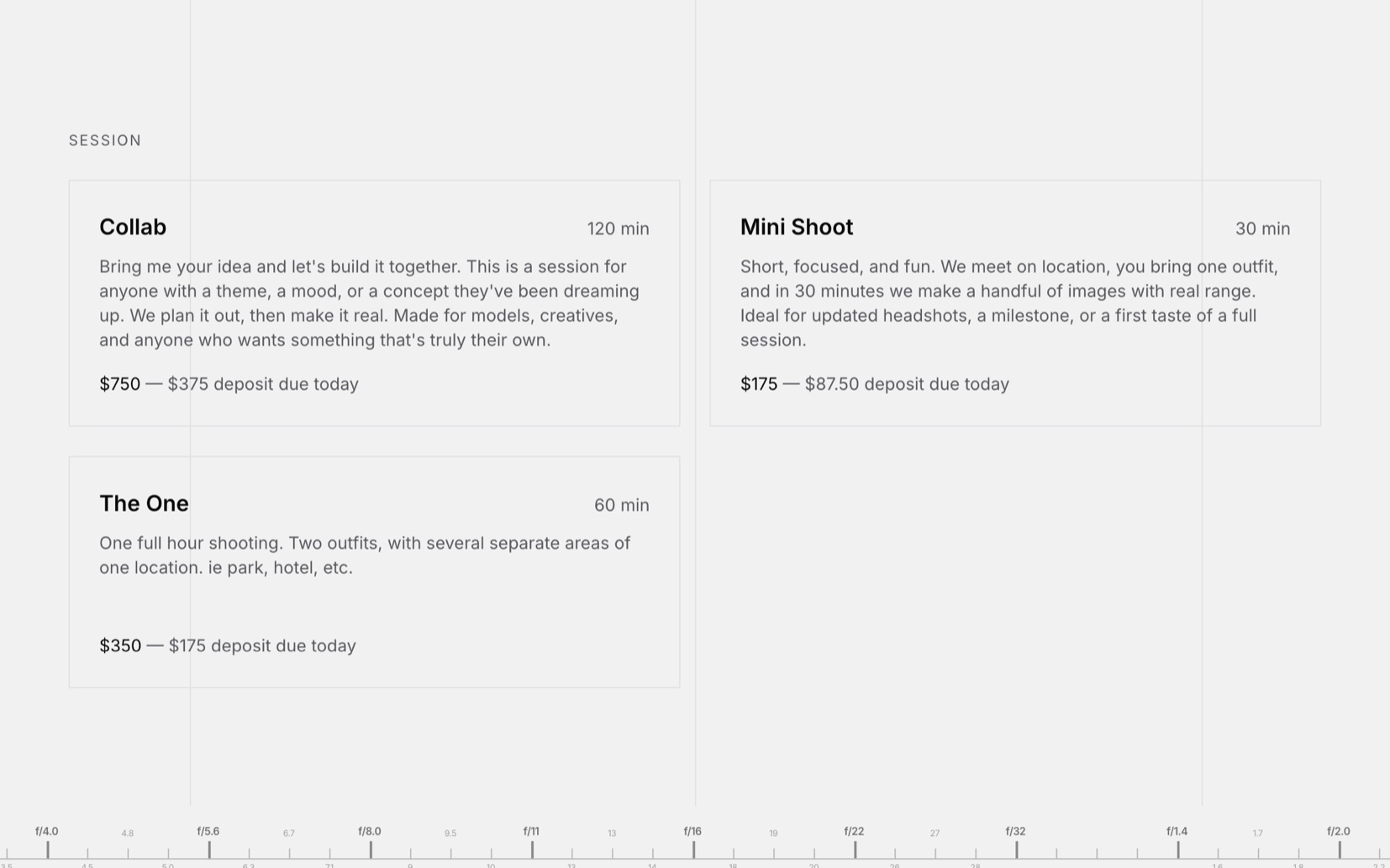
- 01Booked onlineClient picks a session, date and time on borstphoto.com.
- 0250% depositHalf up front, taken at booking. The slot is held.
- 03Client createdThe booking becomes a client record, deposit already against it.
- 04Shoot the projectOn the calendar, time logged against the project.
- 05Final paymentBalance invoiced and settled after the shoot.
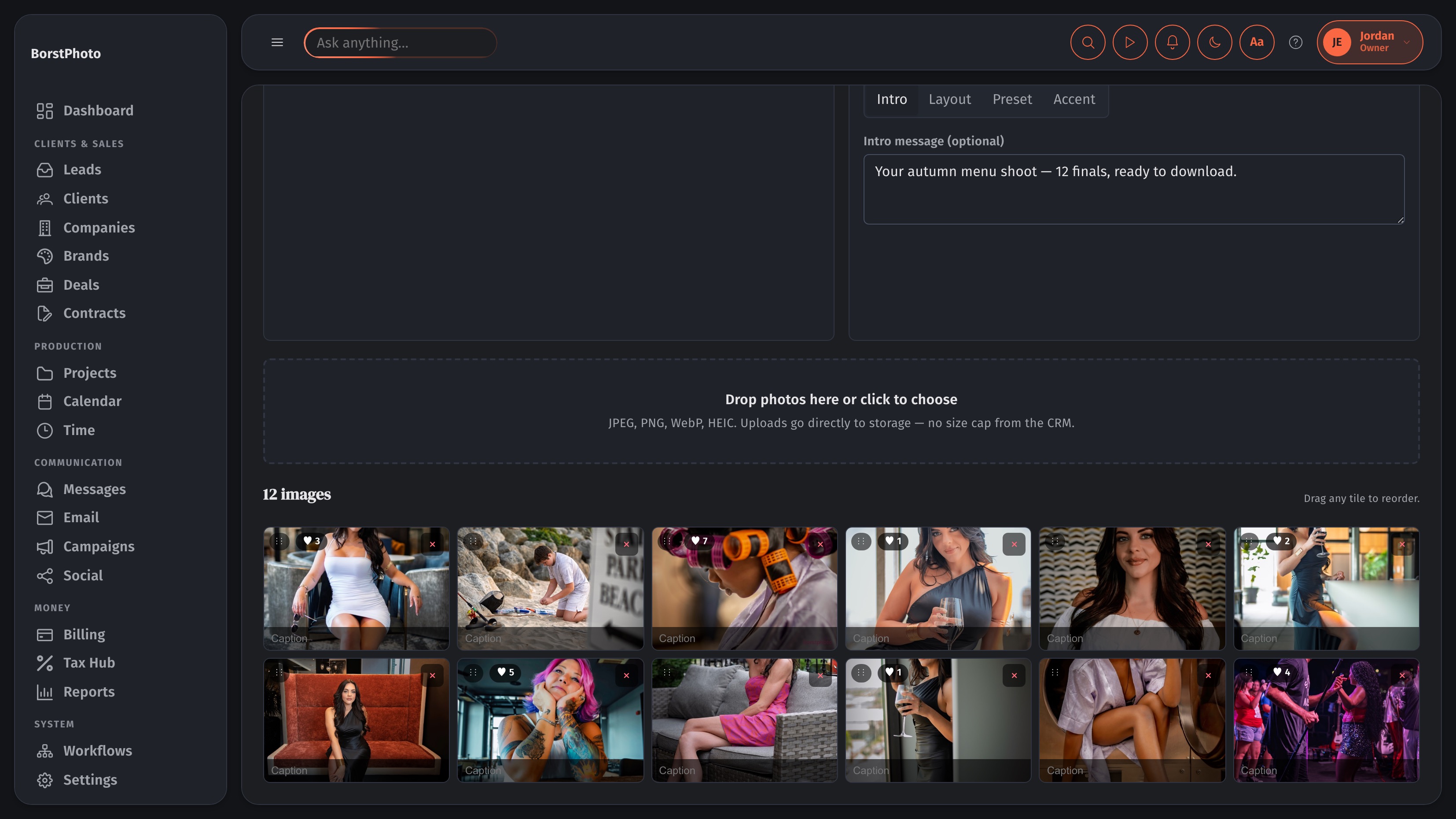
- 06Gallery builtFinals uploaded, cover and layout set.
- 07DeliveredSent to the client — downloads and favourites tracked.
OddStack CRM
This is the one that keeps this website running.
Built forA studio that builds and then keeps running client websites — where the work does not end at launch, it starts there.
Selling a website is the easy half. The hard half is the years afterwards: is the server healthy, did the backup run, has this site had its maintenance this month, and did the client ever get a report about it. This CRM was built so the answer to all four is on the same screen as the client's invoice.
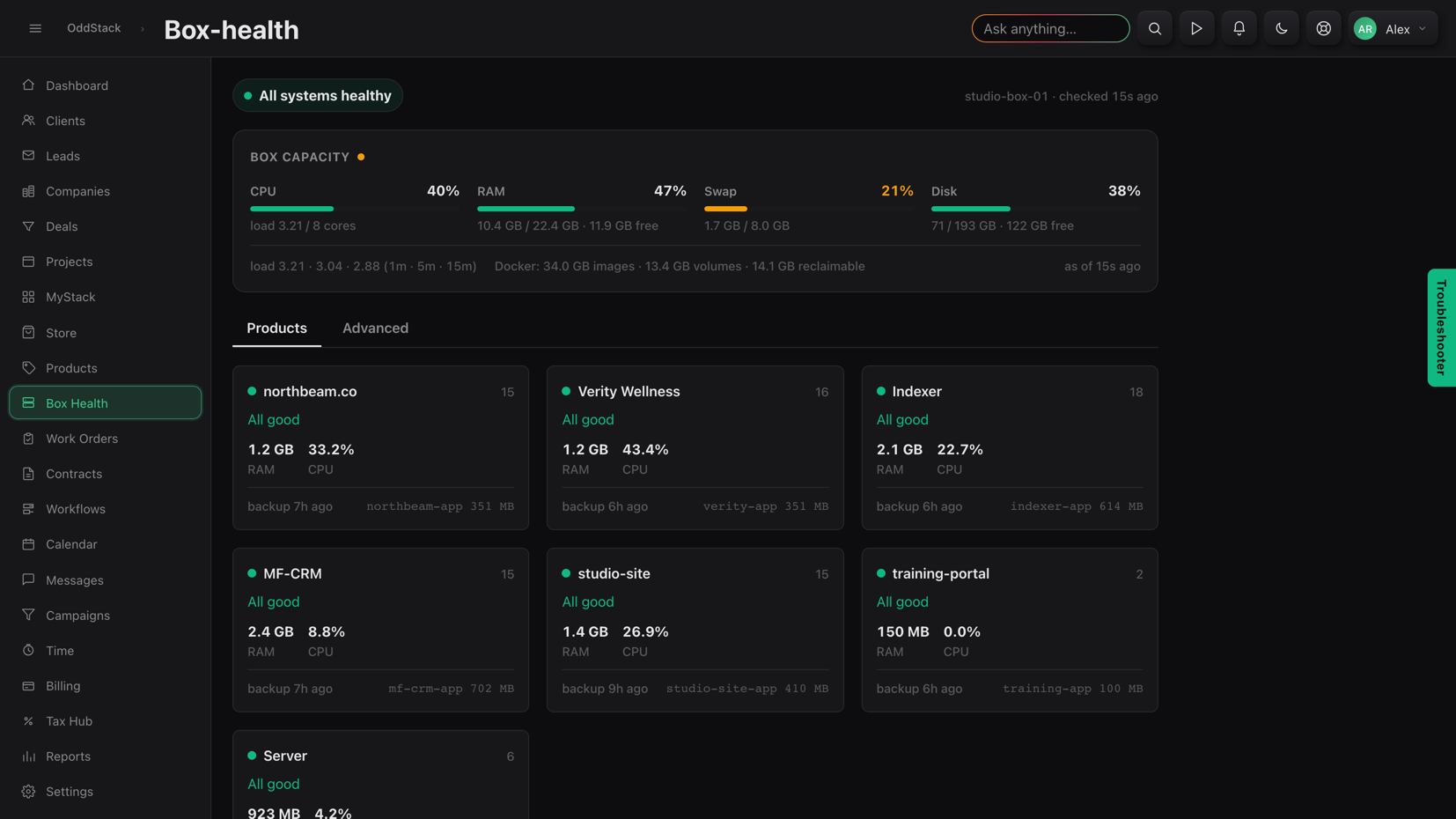
- The server lives inside the CRMBox Health reports CPU, RAM, swap and disk on the box, then every product container running on it — memory, CPU and when it last backed up. Infrastructure and the client list are finally the same app.
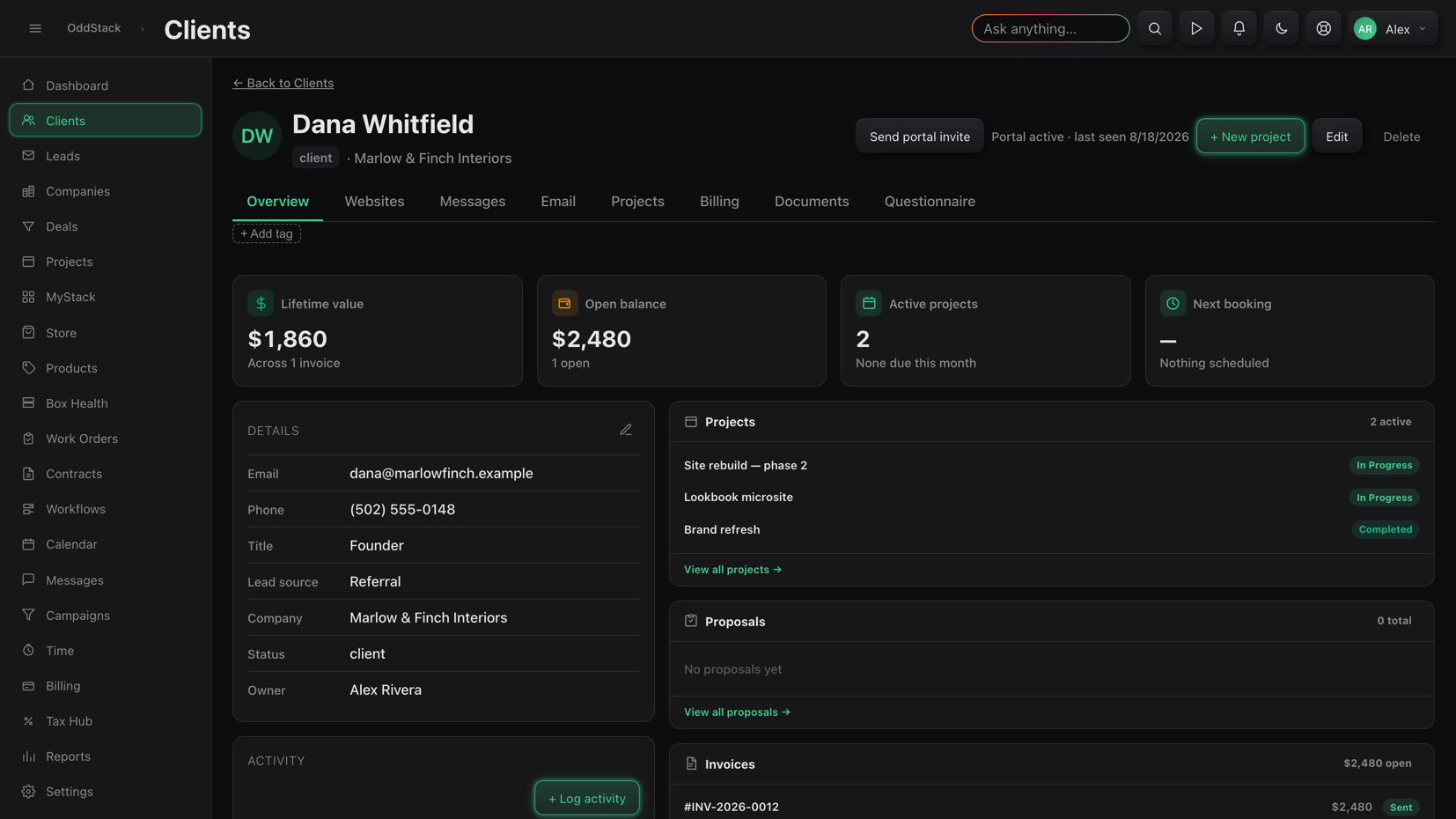
- The client record grew Websites, Documents and Questionnaire tabsThe intake form the client filled in, the files they sent and the sites under care all hang off the client, alongside a portal invite so they can see it too.
- Work Orders schedule the maintenanceMonthly care work is staggered across every site under contract, so upkeep is a queue that comes to you rather than something you have to remember.
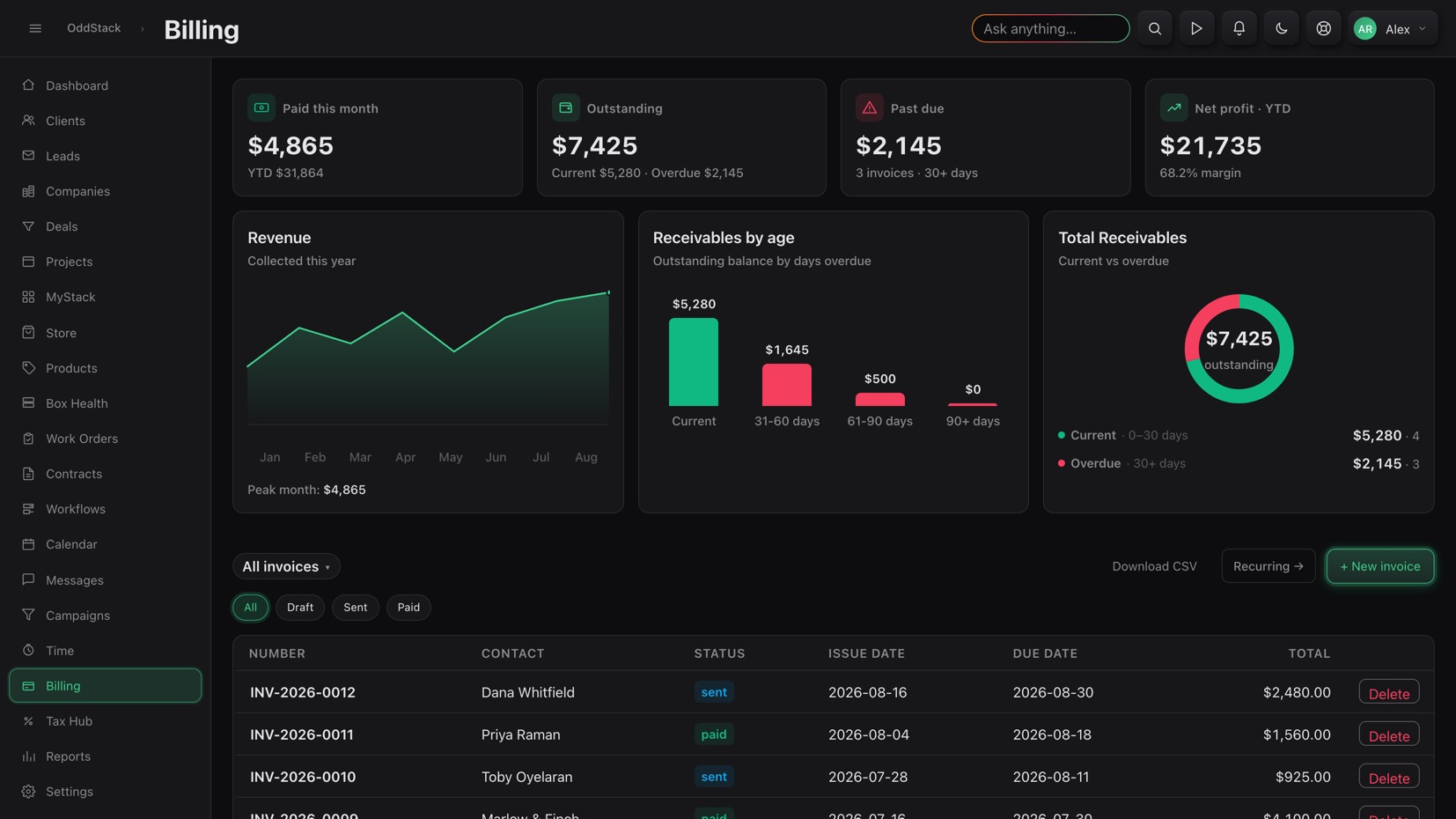
- Recurring billing is wired to the care planRetainers renew on their own cadence and the revenue, receivables ageing and net margin update as they land.
How a site moves through it
The whole life of a client website — sold, built, launched, watched and reported on — tracked in one place.
- 01QuestionnaireClient fills in the design intake on a tokenized link.
- 02ContractSigned in-app, stored on the client record.
- 03BuildProject tracked, time logged against it.
- 04RegistrySite added, uptime watched from then on.
- 05Work orderMonthly maintenance queued automatically.
- 06Care reportWhat was done that month, sent to the client.
- 07RenewalRetainer invoiced on its own schedule.
AppleCart CRM
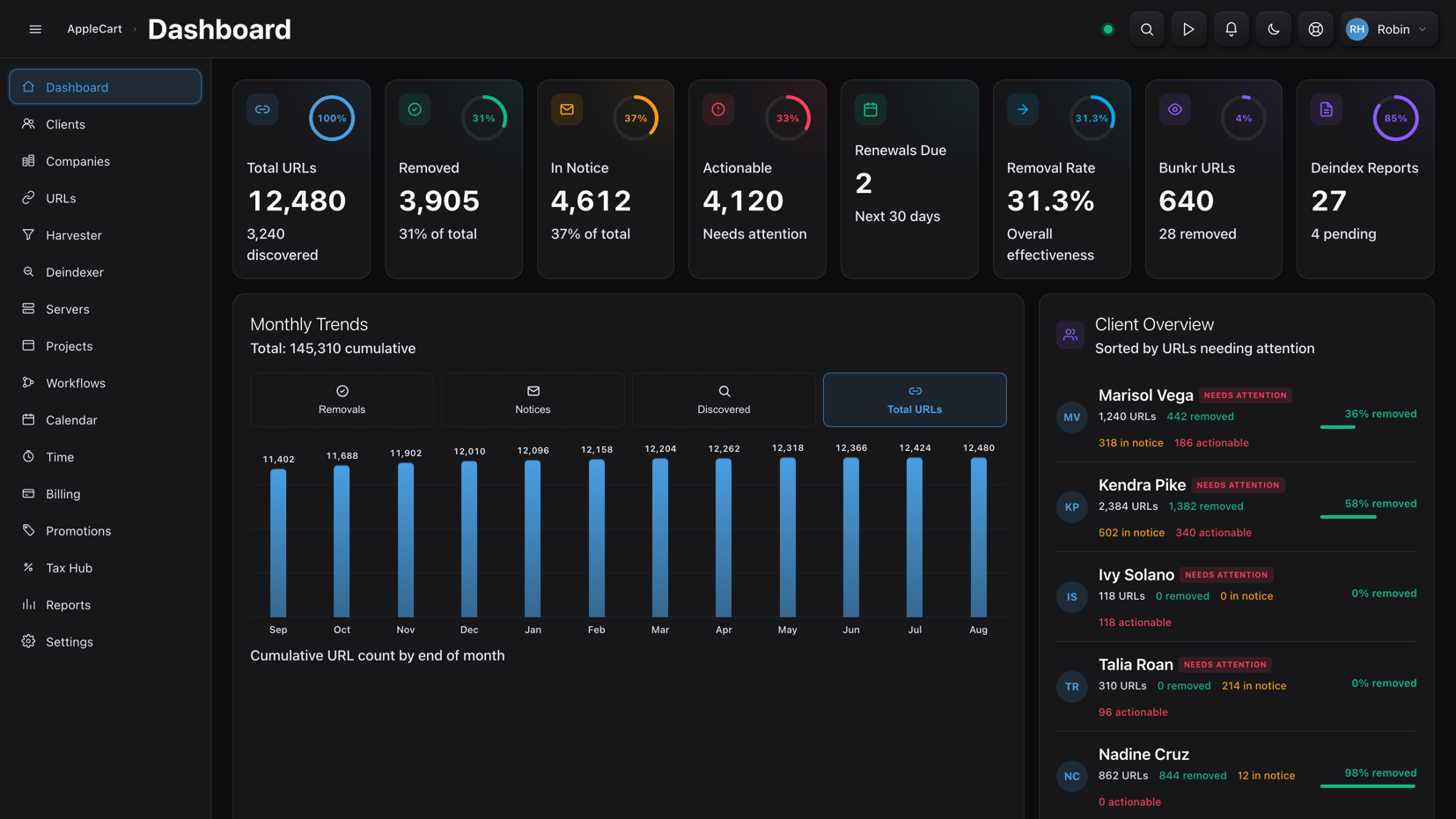
Built forA DMCA takedown service acting for creators, where the product is not a project — it is thousands of individual URLs, each at its own stage.
There is no version of an off-the-shelf CRM that models this. A client is not worth a deal value, they are worth a removal rate. So the sales furniture came out entirely and the whole application was rebuilt around a single unit of work: one stolen link, moving from found to gone.
- The dashboard reports enforcement, not salesTotal URLs, removed, in notice, actionable, overall removal rate, deindex reports filed and renewals due — with clients ranked by who most needs attention rather than who spends the most.
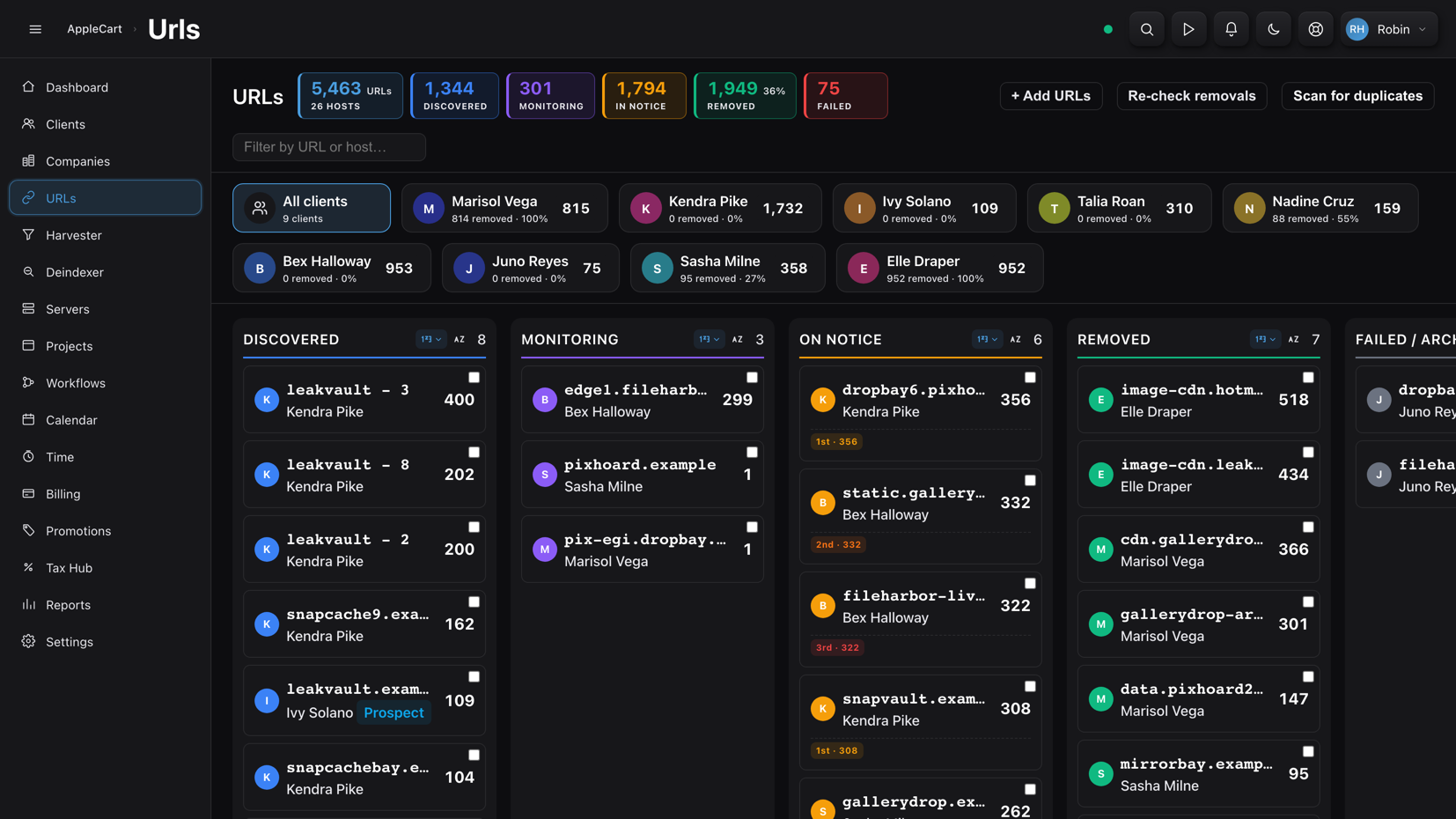
- URLs is a pipeline board, not a listDiscovered → Monitoring → On Notice → Removed → Failed, grouped by host and filterable to one client, so a caseload of thousands is worked column by column.
- The sidebar is the toolchainHarvester finds stolen copies, Deindexer pulls them from Google, Face Search and Servers back the investigation. These replaced the modules a normal CRM would put there.
- Clients are measured by percentage removedEvery client chip carries their URL count and removal rate, so the number that matters to them is the number the operator sees first.
How a stolen link moves through it
Thousands of links, every one at its own stage, worked column by column until the board is empty.
- 01DiscoveredHarvester crawls and files new infringing URLs.
- 02TriagedGrouped by host, assigned to the right client.
- 03Notice sentDMCA notice generated and filed automatically.
- 04MonitoredRe-checked until the host actually complies.
- 05RemovedConfirmed gone and counted toward the rate.
- 06DeindexedPulled out of Google search results too.
- 07ReportedMonthly client report, then renewal.
Your business doesn’t work like theirs either.
Every one of these started the same way: someone doing the job by hand across four tools that didn’t talk to each other. Tell us how your work actually flows and we’ll build the software around it — not the other way round.